The Microsoft Excel test evaluates your skills in using Excel and awards you a score confirming your proficiency level. To begin the test, you’d first have to choose a level from Basic to Advanced. The level determines the kind of questions and skills you’ll be tested on, which includes anything from basic formatting and arithmetic operators to IF functions and advanced data encryption.
If you’re looking to determine your Excel skill level or prove your proficiency to a recruiter, our online Excel assessment is perfect for you. All you need to do is select a test level corresponding to the role you’re applying for. For example, consider taking the Basic skill test when applying for an entry-level position.
The online Excel test is free on Testizer.
The Excel proficiency test assesses you on three broad skill areas that you’ll require in the workplace:
The goal here is to see how well you are able to move around the Excel interface and handle data. In the Basic skill level, the questions here are limited to simple tasks like data entry, formatting cells, aligning texts within cells, and resizing columns. Your knowledge will also be tested on how to sort and filter data within cells. These are all skills that administrative assistants use daily.
The Excel Assessment test gauges your ability to use Formulas and Functions. For the Basic test, this category of questions assesses your mastery of simple functions like SUM, AVERAGE, MIN MAX and COUNT. The Intermediate level goes a step further, so you’re going to be dealing with more advanced functions like Lookup functions, logical functions, and Date functions. While in the advanced level test, expect questions involving INDEX & MATCH, OFFSET, INDIRECT, and Array Formulas.
The Excel practice test also assesses your ability to turn raw data into useful information, a skill expected of data analysts and financial professionals. At the intermediate level, the questions involve creating PivotTables, grouping data, and applying Value Field Settings.
Advanced users are assessed on creating relationships between tables, as well as combining PivotCharts, Slicers, and Form Controls to create dynamic reports.
To begin the test, select a level - Basic, Intermediate, or Advanced.
The Excel practice test on Testizer consists of 25 multiple-choice questions, and you have 25 minutes to answer them. You can pause the timer, but only after submitting your answer to the question in that particular window.
Once you have completed the assessment or your timer runs out, your result is sent to your email address. The result awards you a score based on how many questions you answered correctly. It also spells out whether that’s your actual skill level or you should try something more advanced based on your performance.
For example, suppose you took the Intermediate Excel test and passed with, say, an 88% score. There’s a good chance you would fare well in the Advanced Excel test. On the other hand, a poor score means your skill level may be Basic. Then you can choose to practice further or obtain the Basic certificate.
Additionally, the result shows you the correct answers to all 25 questions, making it helpful in your learning journey.
The questions in this Microsoft Excel assessment are drawn from real workplace scenarios. In some cases, the screenshot of a sheet will be provided alongside the question. Here’s a glimpse of the kind of questions to expect:
Anyone can write “proficient in Excel” on their resume, and while they may be honest about it, it doesn’t say whether they’re only proficient in performing simple SUM functions or they can actually use advanced formulas. Employers want to identify your skill level precisely so they can know what kind of tasks they can expect you to handle. The Excel skills test tells them exactly that.
Many organizations use Excel testing to determine skill gaps within their current workforce. An internal Excel exam can identify who needs more training. Beyond that, the results can also showcase employees who possess more advanced skillsets than their current position demands, potentially leading to promotions.
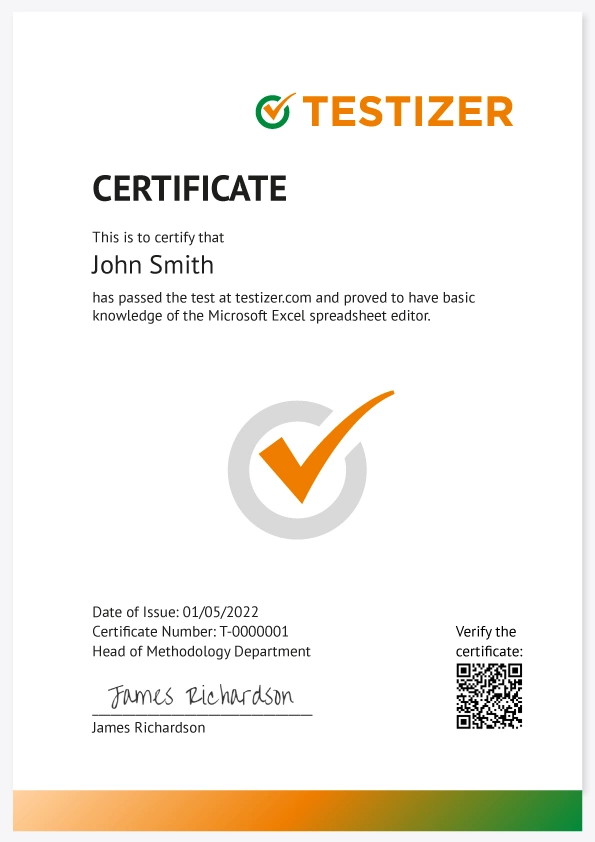
You can get your Excel certificate by taking the free Microsoft Excel assessment on Testizer. The test is free, and you’ll receive your results instantly.
If you’re satisfied with your results or they meet the requirements of the role you are applying for, request a certificate. The certificate costs only 10 USD.
The Excel proficiency test on Testizer is completely free, so you can take it as many times as you need until you achieve your desired results. It’s also a great way to prepare for a formal job interview.
What’s more, the correct answers to the questions are presented along with your results, so the test itself can be a powerful learning tool.
Sounds good?
Absolutely. The Excel certificate from Testizer is credible, and recruiters reviewing your LinkedIn profile or resumé can verify its authenticity by scanning the QR code.
One significant advantage of online Excel tests is accuracy. Your answers are scored by the system, so there’s no room for human error. Our online Excel questions are designed across three proficiency levels (Basic, Intermediate, and Advanced), making the result a reliable indicator of your actual skills.
To demonstrate the strong Excel proficiency required of data scientists and financial controllers, you need to score at least 80% in the Advanced Excel Skills test.
Yes, we recommend the Excel Basic level test for beginners. Here, the questions range from data entry and formatting to simple arithmetic functions.
You’ll receive the Excel skill certificate in your email within 5 minutes of payment. The document is generated automatically with the information you provided. If you have not received it within 15 minutes, check your spam folder.

Excited to share that I have successfully cleared the Basic Computer Knowledge and Related Software test by TESTIZER! This certification validates my understanding of fundamental computer concepts and software applications. Always eager to keep learning and enhancing my skills in the ever-evolving tech landscape. Thanks to TESTIZER for the opportunity!


Test Your Business English – Even for Fun! Improving your business English proficiency can open doors to better career opportunities, smoother communication, and greater confidence in professional settings. But learning doesn’t always have to be serious—why not make it fun? It takes you very little time to test your knowledge. In our busy lives, we often focus on learning new skills for work or study, but we rarely take a step back to assess what we already know. Testing your business English is a simple yet valuable way to measure your progress, identify areas for improvement, and boost your confidence. This is a made Self-certificate of mine for taking the quick quiz to challenge my business English.
I encourage everyone to dedicate a little free time to taking an English test, not as a chore, but as a fun and insightful challenge. Platforms like Testizer offer a quick and engaging way to check your level without pressure. Even if you’re not actively studying, testing yourself occasionally keeps your skills sharp and helps you recognize where you can grow.

I'm thrilled to have achieved the C2 level certification through TESTIZER! All my hard work and dedication have finally paid off, and it feels incredibly rewarding!

Thrilled to share a new achievement!
I’ve officially been certified as a C2 Proficient user of Business English by Testizer, in accordance with the Common European Framework of Reference for Languages (CEFR).
This means I can:
Understand virtually everything I read or hear with ease
Summarize and synthesize complex information from diverse sources
Communicate spontaneously and precisely—even in high-stakes business environments and international Fluent Communication
Language is power in today’s global workplace—and I’m proud to continue sharpening mine.
Big thanks to the Testizer team and James Richardson, Head of Methodology, for the recognition!

Thrilled to Announce a Key Milestone! I am pleased to share that I have attained the Proficient (C2) level of English, as certified by testizer.com, in alignment with the Common European Framework of Reference for Languages (CEFR).
This certification reflects my ability to:
Comprehend complex written and spoken material effortlessly.
Synthesize and articulate information from diverse sources with precision.
Communicate fluently and effectively, adapting to nuanced and intricate contexts.
Achieving this level underscores my commitment to continuous professional and academic development, particularly as I pursue my aspirations in mechanical engineering and hydrogen fuel cell research. Strong communication skills are a cornerstone for collaboration and innovation, and I am eager to leverage this proficiency to contribute meaningfully to my field.
I look forward to the opportunities ahead and to connecting with like-minded professionals.

I just took the test for both chinese HSK 4 Chinese and C1 advance business English. Using the website testizer it helps me up date my languages skill from time to time.

I’m happy to share that I’ve obtained a new certification: B2 German Language from TESTIZER! It's been a long journey in this learning experience. I remember myself 5 years ago trying to know how could I learn German for free, since I was paying my university fees and didn't have more money to pay for German courses. Plus pandemic times, where everything was closed and everything started to be on the internet. I discovered how accessible learning languages become in those times, because I started to discover free German courses. Guess what? Took all of those courses and grew up these knowledges step by step. But that was not easy, because my learning way was literally writing EVERYTHING placed on those courses, EVERY single word, phrase, expressions. You know, that takes a lot of time and that's why I spent so much time learning German. And now, seems like a lie, but 5 years later I have B2 level.
And now for what that B2 level? I still don't know, but I guess I can say that at least I speak german as well!